Simple Student Resume Template, Campus Essential
Early Career resume template · Single-column classic layout
Campus Essential gives your degree and project work the space normally reserved for a job history. Follow the field-study example to describe a question, your method and what you found.
Designed for
- University Students
- Fresh Graduates
- First-Time Applicants
Open it in the resume builder, replace the sample text, and export when you are ready. There is no watermark and no signup.
Key features of the Campus Essential template
Full-width single reading column with horizontal section dividers and traditional reverse-chronological flow. Standard headings and selectable text help readers follow your experience. After exporting, check that your contact details, job titles and dates copy in the intended order; extraction can differ between systems.
Education before project work
Serif academic typography
Single reading column
Subtle blue rules
Editable project descriptions
Layout & formatting specifications
- Template name
- Campus Essential
- Design style
- Academic
- Column structure
- Single-column classic
- Page dimensions
- A4 & US Letter
- Default color palette
- #213858#375f89
- ATS text layer
- Selectable text, standard headings
- Download formats
- PDF, Word (DOCX), Plain Text (TXT)
Included resume sections
The Campus Essential template comes pre-configured with the sections below. Inside the builder, you can rename headings, reorder blocks, or hide any section you do not need.
- Contact Header
- Professional Summary
- Work Experience
- Education
- Core Skills
- Certifications & Projects
Ready to customize in the builder
Click Use this template to open the Campus Essential layout directly in the resume builder, enter your own experience and skills, and export a watermark-free PDF, DOCX, or TXT file.
Who the Campus Essential template is for
Campus Essential is a single-column, serif student resume with restrained blue rules. It prints the career objective, then education, then academic projects, then campus activities, then skills and certifications.
It is the plain option in the student collection: no photograph, no sidebar, no colour block behind the headings. Choose it when the document itself should look like the academic evidence inside it, and when a hiring team is likely to print or skim rather than browse.
How to get the most from the Campus Essential layout
- Choose it when your degree and coursework are the strongest argument, which is usual for a current undergraduate or a very recent graduate.
- Use the academic projects block for two or three pieces of assessed work: name the question, the method or tool, your contribution and the result.
- Put part-time work, volunteering and society roles under campus activities with real dates, rather than leaving the section empty or inventing a job title.
- Keep the skills list to the tools and methods that reappear in a project above it, so every claim on the page is demonstrated somewhere.
- Keep the document to one page. If it runs over, cut a membership rather than shrinking the type.
How to customise the Campus Essential template
- 1
Open the layout and replace the example candidate
Select Use this template to open Campus Essential in the builder with the filled environmental science example. Replace the name, contact details and objective first, so the rest of the page has a target role to answer.
- 2
Write the education block precisely
Add the degree, field, institution, location and an expected graduation date. Add relevant modules beside the degree, and the classification or GPA only when it strengthens the application rather than filling space.
- 3
Describe two or three academic projects
For each project give the task, the method or tool, your own contribution and the result. In group work, state which part you did. Keep the wording plain enough that a reader outside your course can follow it.
- 4
Add campus activities honestly, then check the export
List society roles, volunteering and any paid work with dates and responsibilities. Export the file type the vacancy asks for, open the finished document, and copy its text into a plain-text editor to check the reading order.
Student template · Education first
What the Campus Essential document contains
These are the section headings the template prints, in reading order. Each one is editable in the builder: rename it, reorder it, or hide a block you do not need.
- Career objective
- A three-line opening that names the role and the evidence behind it. The example candidate writes that she is an environmental science finalist seeking a field assistant role and is trained in water sampling, GIS mapping and explaining survey results to community groups. It gives the reader three things to look for in the sections below.
- Education
- Degree, field, institution and an expected graduation date. This template prints education before any project or work block, so a reader meets your qualification first. Add the classification, GPA or a relevant module only when it strengthens the case; a bare expected date is honest and normal.
- Academic projects
- The section this layout was built around. The preview shows two: a stream health field study that mapped six sampling sites in QGIS and compared nitrate readings after rainfall, and a land use mapping exercise checked against field notes from twelve survey points. Both name a method, a scale and a result rather than a module code.
- Campus activities
- Society and committee roles, volunteering and any paid work, presented with dates and what you were responsible for. The example lists a field society secretary who coordinates equipment loans for 24 members and prepares route notes for monthly walks. One repeating responsibility, described precisely, is worth more than a list of memberships.
- Skills
- A compact block of tools and methods you could be tested on. The example keeps five entries: QGIS, water sampling, Excel charts, survey design and field reporting. Every one of them reappears in a project above, which is what makes the list credible.
- Certifications and training
- Short courses, licences and safety inductions that a hiring panel checks. The example carries a field safety induction. If a certificate is a condition of the role, such as a first aid or a lab safety card, name it here exactly as it is written on the certificate.
How to fill an education-first student resume
The layout only helps if the education and project blocks are written with the same discipline as a job entry. These are the four decisions that matter most.
- 1
Use an expected graduation date, not a hopeful one
Write "Expected June 2027" or "Expected graduation: June 2027" until the award is confirmed. If you have already graduated, write the actual date and, where the institution issues one, the classification. An unfinished degree belongs on the page; an implied finished one does not.
- 2
Choose modules that explain the role
Two or three relevant modules are enough. A field, lab or statistics module is worth naming when the vacancy mentions sampling, data or reporting; an introductory module that every applicant has taken is not. Put the module names beside the degree, or add a coursework line under education.
- 3
Describe an academic project like a piece of work
State the question or task, the method or tool, your own part in it and what the result showed. If the work was a group effort, say which part you did. "Mapped six sampling sites in QGIS and compared nitrate readings after rainfall" gives an interviewer something to ask about; "worked on a group project" does not.
- 4
Put campus responsibility where a reader will accept it
A society role, a student representative post, a sports committee place or a paid shift all show reliability, and this template gives them a dated block rather than burying them in a hobbies line. Name the organisation, the dates, the size of the group and what you were accountable for.
Keep reading before you export
If you are applying for a placement or a summer internship and your projects are stronger evidence than your degree, Internship Pathway prints those projects first instead.
The collection page explains how the two student layouts differ and what a student resume should contain. The site's first-job samples show two filled documents you can compare your draft against.
Similar resume templates
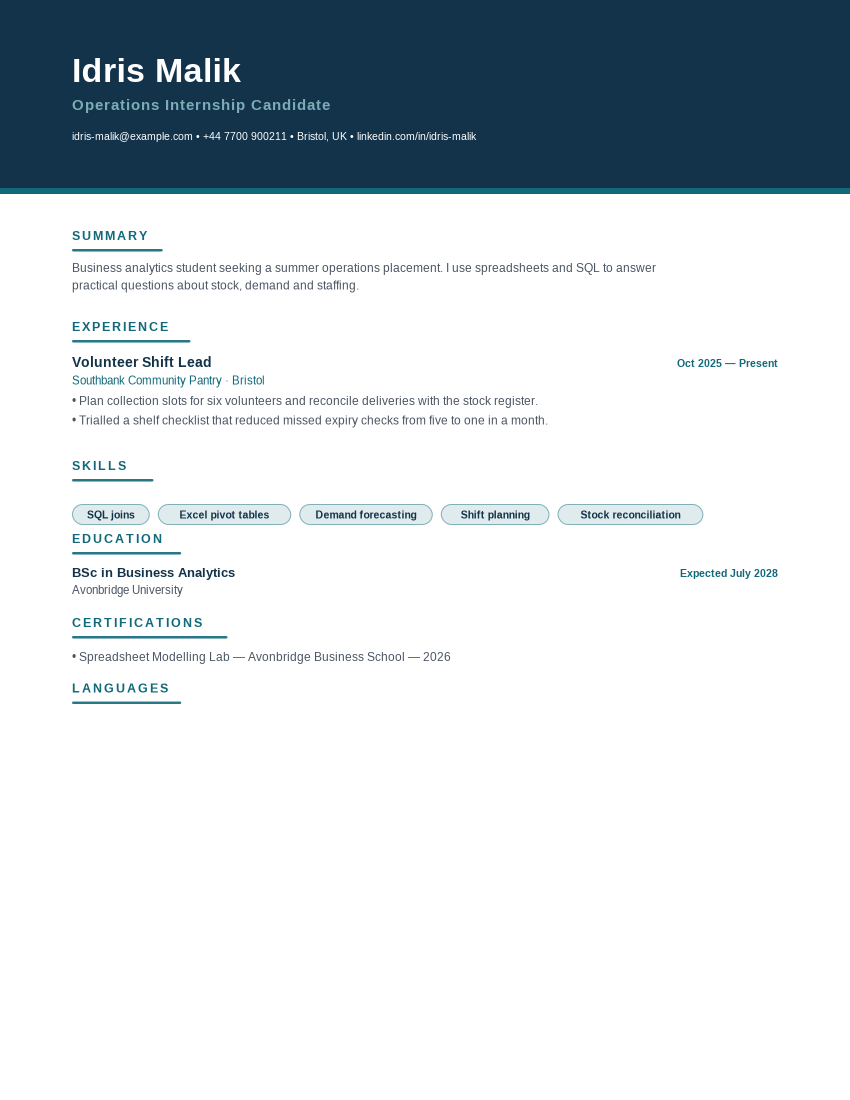
Swipe, pause or use the arrows to compare other academic layouts.
Frequently asked questions
Practical details about formatting, ATS compatibility, and customizing the Campus Essential template.
Should I list an unfinished degree?
Yes. Write an expected graduation date, such as Expected June 2027, rather than implying the degree has already been awarded. Once it is confirmed, replace the expected date with the actual one and add the classification if it helps you.
Which course project deserves space?
Pick the assignment closest to a task named in the vacancy. Explain one decision you made and what the result showed. Two projects described properly are stronger than five titles with no detail.
Does this layout work for a recent graduate as well as a current student?
Yes. After graduation the degree stays in place and the same blocks carry your first role, placement or project work. Once you hold a full-time role relevant to the job you want, experience moves above education.
Is the Campus Essential template really ATS-friendly?
ATS products and employer configurations differ, so this template cannot guarantee parsing or screening results. Check the layout and exported text, use accurate role-specific content, and follow the employer's file instructions. Any compatibility percentage shown on this page is not an independent test by an ATS provider.
Can I download my resume as a PDF or Word file for free?
You can export a PDF, Microsoft Word (DOCX), or plain-text (TXT) file without a watermark. Review the downloaded file before sending it and follow the employer's requested file format. ATS products and employer settings differ, so no template or export can guarantee parsing in every system.
Is this resume template completely free?
The resume builder and PDF, DOCX, and TXT exports are available without payment or an account. Online AI or analysis tools may depend on service availability; see the Privacy Policy for details about how submitted information is processed.
Do I need to create an account to use this template?
No account is required to use the builder. Drafts are stored in your browser; some online features send submitted information to configured services for processing. See the Privacy Policy for details.
Related ResumeEarth tools and guides
Explore role-specific resume collections, ATS checking tools, and formatting guides to complete your application.
ATS Resume Scanner
Test your exported PDF or Word resume for parsing accuracy, section detection, and keyword coverage.
Job Description Keyword Matcher
Compare your resume against a specific vacancy to spot missing hard skills and role terminology.
AI Cover Letter Generator
Create a tailored cover letter that complements your Campus Essential resume.
How to Make an ATS-Friendly Resume
Practical formatting rules for headings, dates, columns, and file exports that parse cleanly.
Create your resume with Campus Essential
Open the template, add your details, and export a watermark-free PDF, Word (DOCX), or TXT file when it reads the way you want.
No credit card. No signup. Free to use.