Choose a layout · Edit online · Export your CV

CV template UK: free modern, simple and ATS-friendly British CV layouts

Compare free UK CV templates, from a traditional British CV format to a modern skills-sidebar layout, plus simple, graduate and part-time job options. Preview a real example, pick a template, then use our free CV maker to add your details and download a PDF. No registration required.

  • Free PDF downloads
  • No account or watermark
  • Editable DOCX on desktop

Downloads follow editing in the builder; these are not direct Word-template downloads.

Compare the layouts

Free CV templates UK: choose your layout

Start with London British for a traditional A4 CV or Manchester Modern for a skills sidebar. The other layouts are adaptable alternatives: their samples are not all UK-specific, and their local PDF exports use US Letter rather than A4.

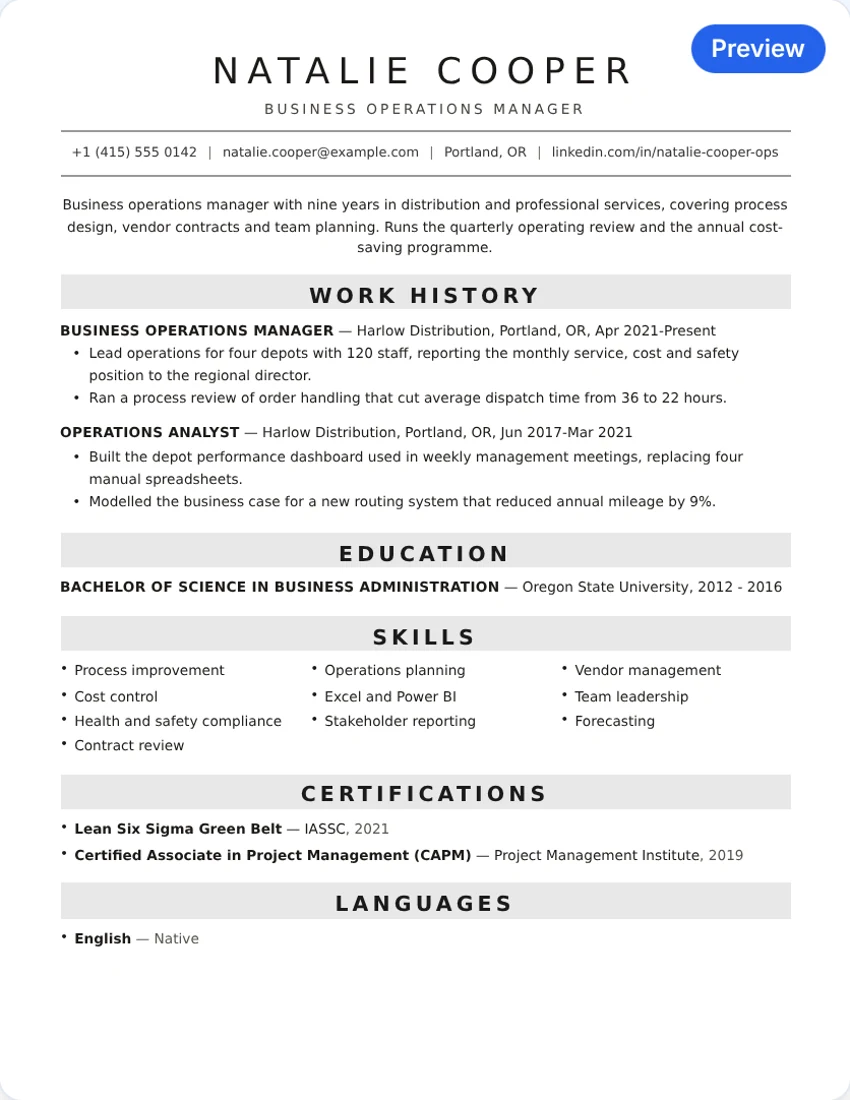
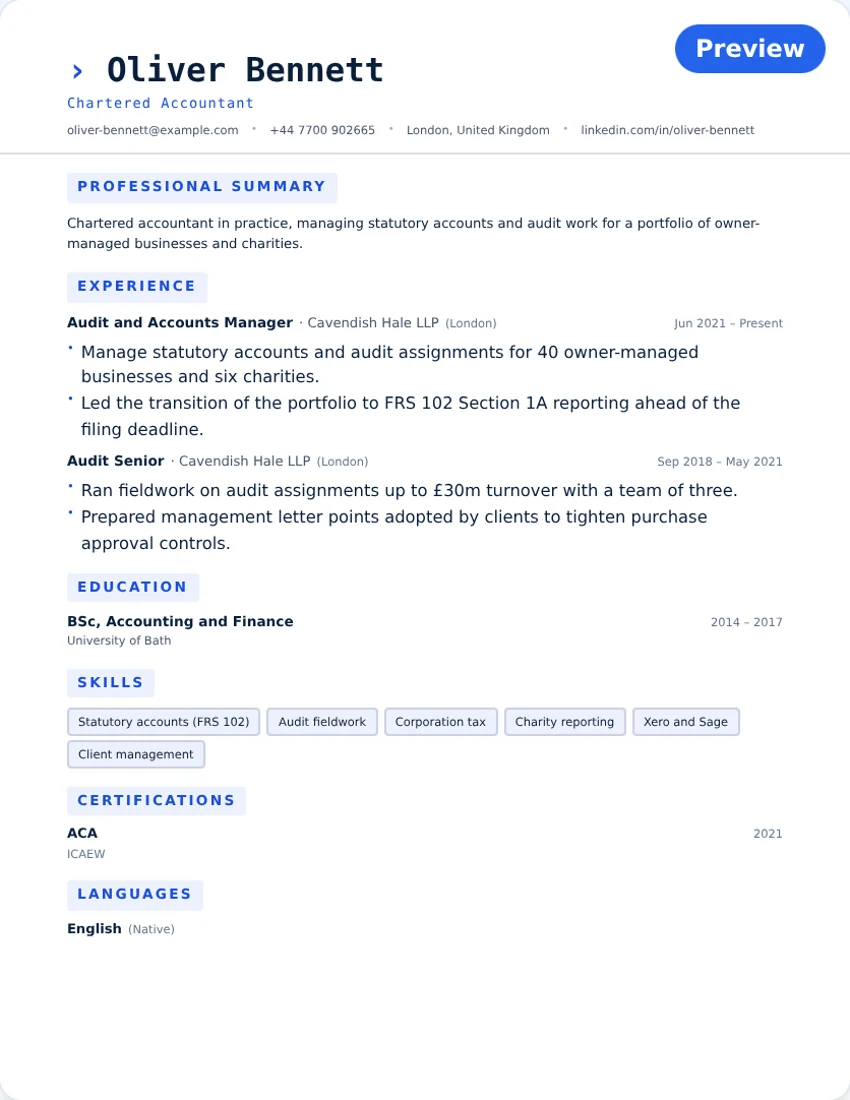
London British CV example with a navy heading, profile and single-column work history

Traditional · single column

London British CV

A restrained heading and one reading column keep work history prominent. A starting point for business, finance and other applications where a plain layout is useful.

Local PDF: A4 · DOCX: standard layout

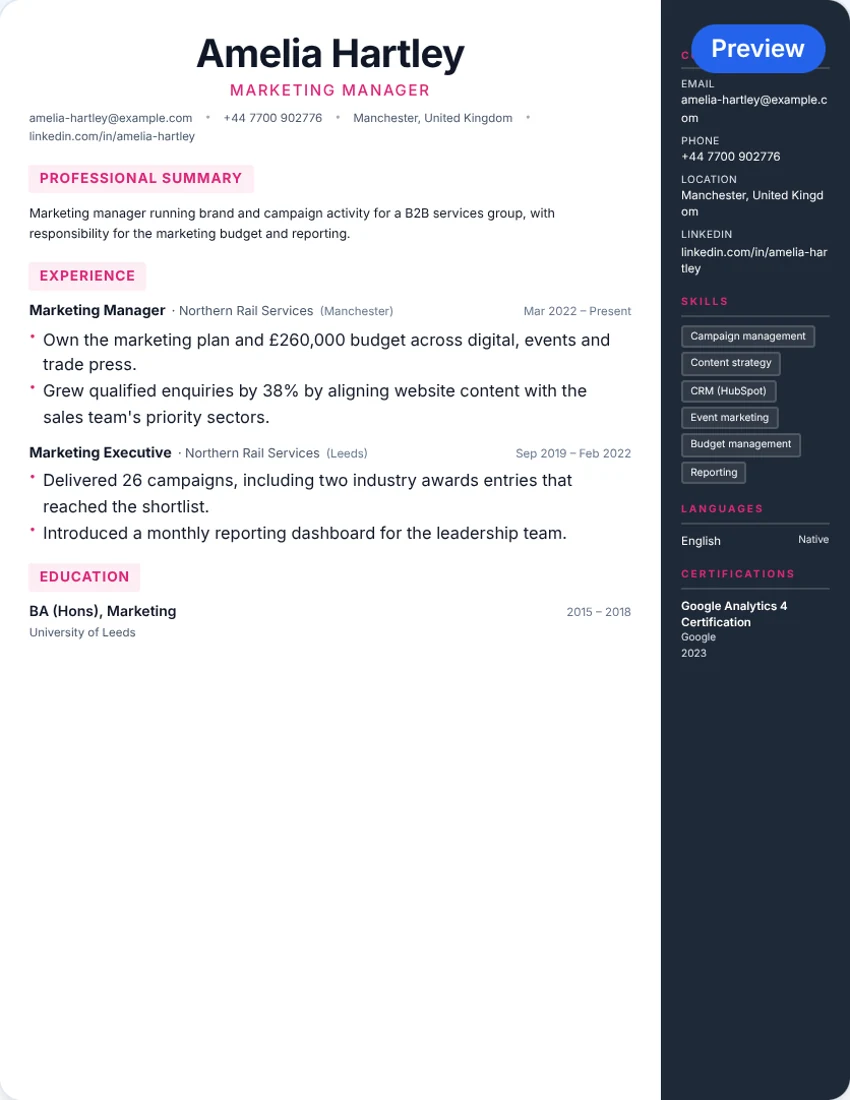
Manchester Modern CV example with a dark skills sidebar and marketing experience in the main column

Modern · skills sidebar

Manchester Modern CV

A dark sidebar separates contact details and skills from the main work history. Consider it for marketing or digital roles; check the exported reading order before an online application.

Local PDF: A4 · DOCX: standard layout

Heritage Classic example with a centred name, brown section rules and a single work-history column

Classic · single column

Heritage Classic

A centred header, brown rules and compact work-history entries give this layout a traditional feel. Useful when you want experience, rather than decoration, to lead.

Local PDF: US Letter · DOCX: standard layout

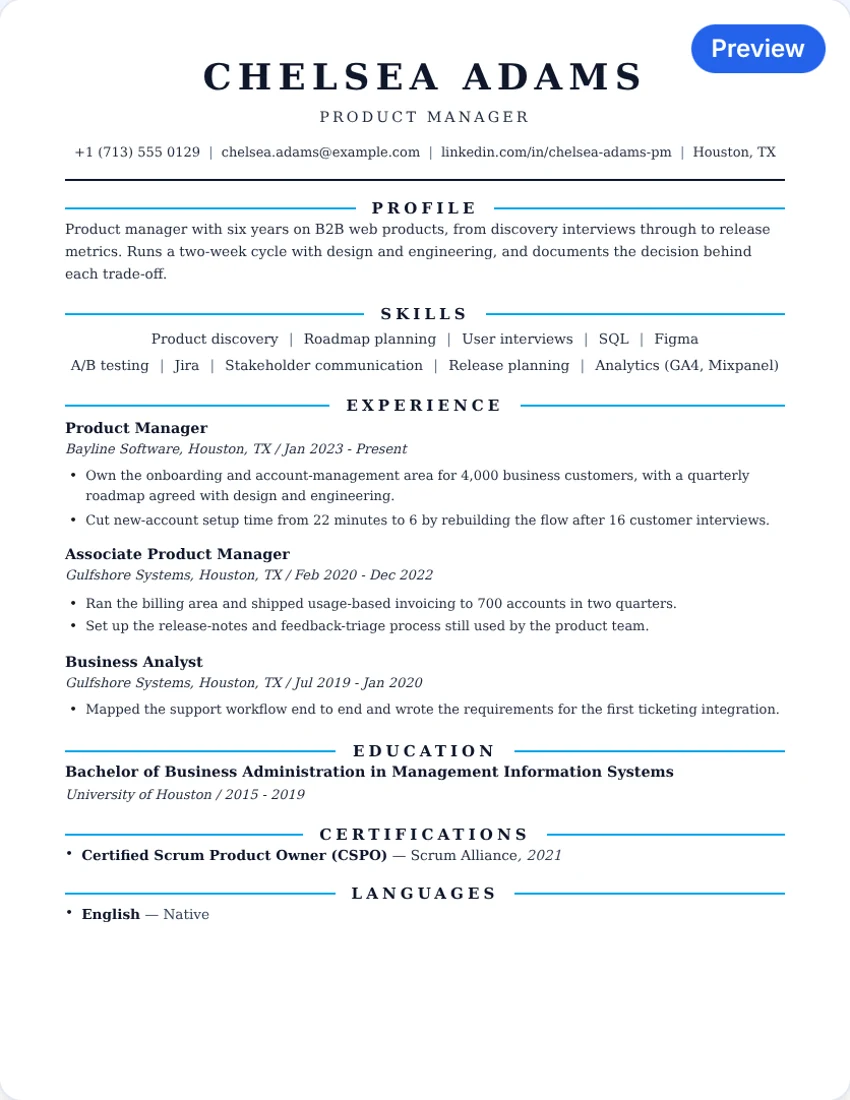
Pure Minimal example with a left-aligned header, blue rules and clearly separated skills and experience

Simple · single column

Pure Minimal

A left-aligned header, light blue accents and a clear skills section keep the design understated. Consider it when you want an easy-to-scan alternative to a sidebar.

Local PDF: US Letter · DOCX: standard layout

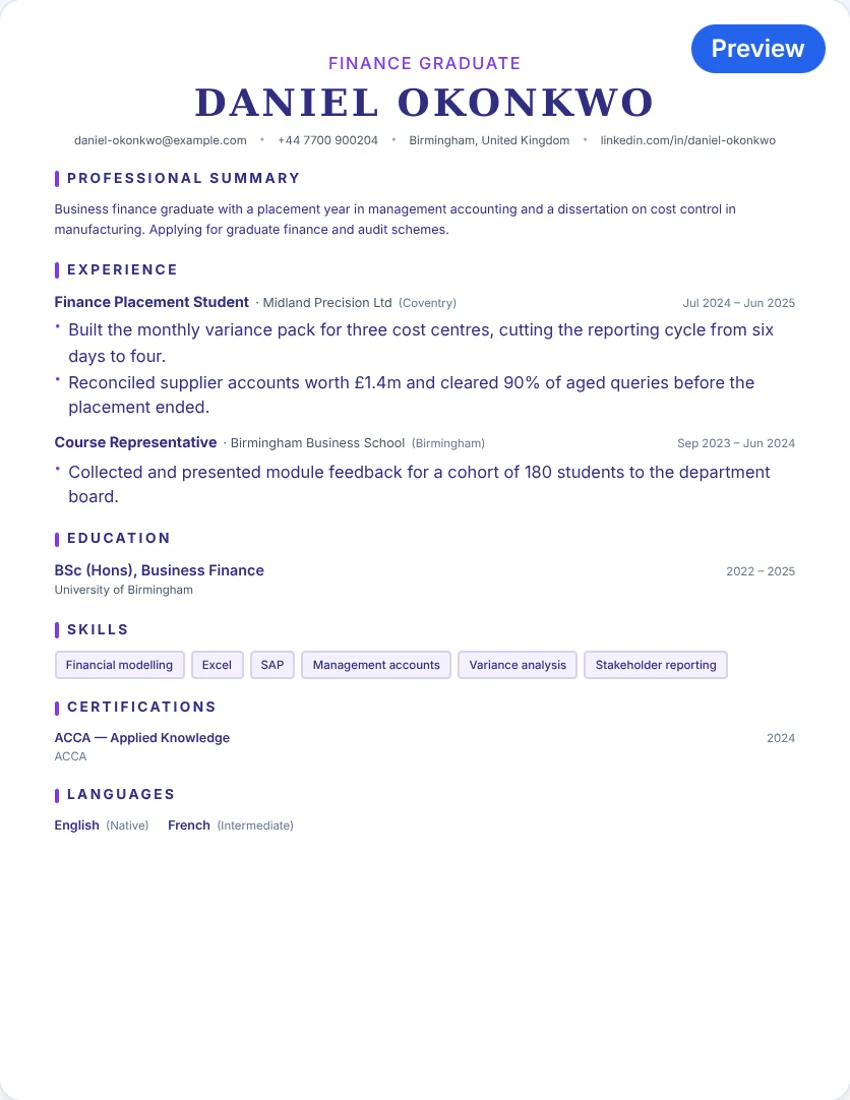
Graduate Launch CV sample showing a finance placement, degree and relevant skills in one column

Graduate · single-column preview

Graduate Launch

A straightforward layout with a UK graduate sample showing a placement and course-representative experience. Use projects, part-time work or volunteering to evidence your own skills.

Local PDF: US Letter · DOCX: standard layout

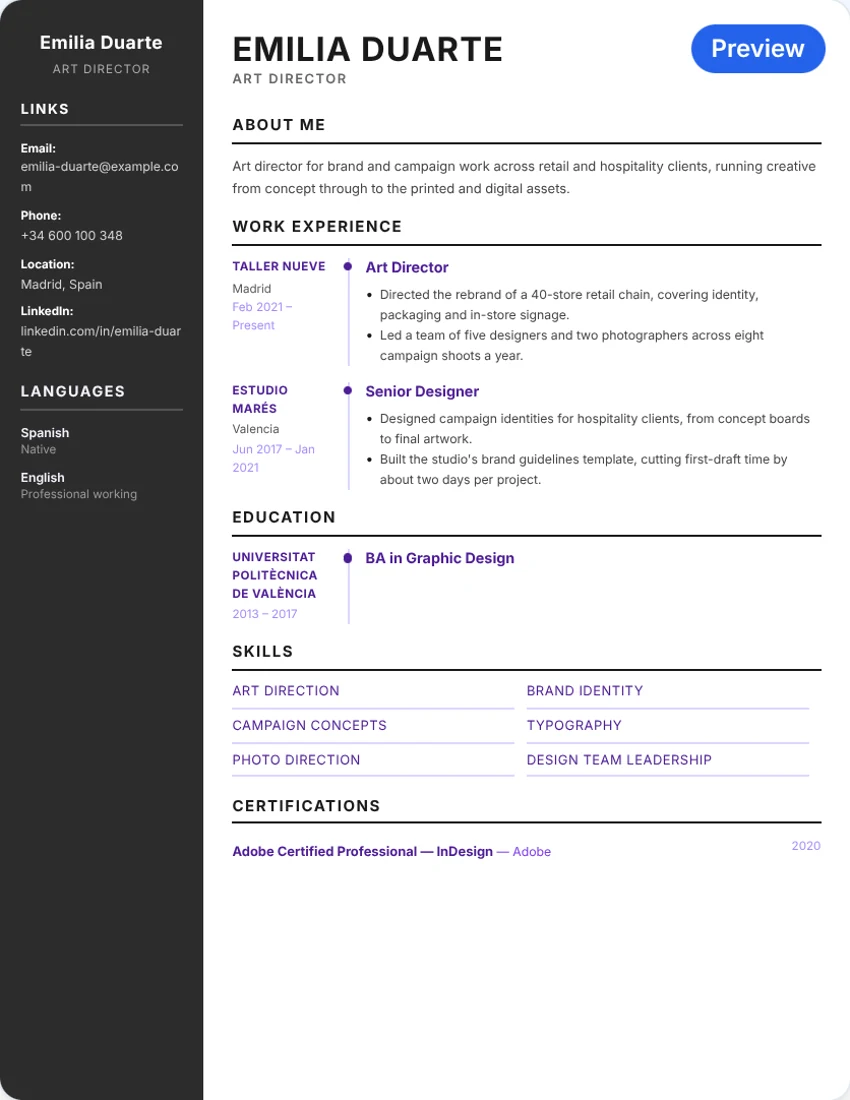
Aurora Creative example with a purple sidebar, magenta accents and an art director’s experience

Creative · two columns

Aurora Creative

Purple and magenta accents, a sidebar and timeline styling suit a more visual presentation. Keep a simpler version for application systems that struggle with multiple columns.

Local PDF: US Letter · DOCX: standard layout

Previews show the existing templates with sample content, not downloadable blank files. Your own content determines the number of pages.

Modern, simple, graduate and creative CV templates for the UK

  • Modern CV template UK: Manchester Modern uses a skills sidebar for a contemporary look. It suits digital, marketing and customer-facing roles; keep a single-column version ready for portals that read sidebars out of order.
  • Simple CV template UK: Pure Minimal and London British use one column, plain headings and little colour. This is the safest basic CV format for finance, legal, administration and most traditional sectors.
  • Graduate and student CV template: Graduate Launch gives room for education, placements, projects and part-time work. Read the graduate CV guide or student CV guide for wording ideas.
  • UK part-time job CV template: Use one page, a short profile, education, any work or volunteering, and skills such as customer service, teamwork and reliability. Graduate Launch and Pure Minimal both fit; swap the sample wording for your own.
  • IT and technical CV template UK: Use a single column with a skills section near the top, then projects and experience. Keep tool names as plain text.
  • Career-change CV: Put a profile and transferable skills before your work history, and use a single column so the new direction is easy to see.
  • Creative CV template: Aurora Creative suits design and portfolio roles where the employer accepts a visual layout. Pair it with a plain version for online applications.

Not sure which to choose? Read our UK CV examples, the graduate CV guide or the student CV guide.

ATS-friendly CV layouts for UK applications

Many UK employers and recruitment agencies use applicant tracking systems to read and store CVs. A simple single-column layout with standard headings, real text rather than images, and dates in a consistent format is the usual starting point.

  • Single column: London British, Heritage Classic, Pure Minimal and Graduate Launch use one reading column, which keeps the order of sections predictable.
  • Standard headings: Use headings such as Personal profile, Work experience, Education and Skills so software and people can find them.
  • Check the exported text: Copy the text from your PDF into a plain-text editor and check that names, dates and section order still make sense. No template guarantees an ATS pass or an interview.

For parsing guidance, see our ATS template guide and full gallery or run your CV through the free ATS resume scanner. For role-specific ideas, browse accounting CV layouts or nursing CV layouts.

Free CV maker and CV builder UK: from template to finished CV

Resume Earth works as a free CV builder as well as a template gallery. Pick a layout, type your details into the online editor, watch the preview update and download a PDF. There is no account, payment or watermark. Optional AI tools can help with your profile and bullet points.

  • No sign-up: Open the editor and start typing. Your draft is saved in this browser.
  • UK-ready defaults: London British exports as A4 and the guidance on this page follows UK conventions such as British spelling and no photo.
  • Write and check: Use the AI resume tools for wording and the ATS scanner to check how your CV reads.

From a blank starting point

Blank CV template UK: Word, Google Docs and PDF download

  1. Open a layout in the editor

    Choose Edit this CV. On your first visit, the form fields are empty; sample candidates in the previews are not added to your draft. Returning visitors keep their saved browser draft, even when changing layout.

  2. Add and review your details

    Fill in the sections relevant to the vacancy. Use the preview to check page breaks, contact details and readability. Remove empty or irrelevant sections and use British English consistently, such as ‘organised’ and ‘analysed’.

  3. Export from the builder

    Use Download PDF on mobile or desktop. The desktop toolbar also has DOCX and TXT. The DOCX file opens in Word and imports into Google Docs, but uses a standard layout; it does not reproduce the design you selected.

Free CV template UK gov: is there an official GOV.UK template?

People often search for a “free CV template UK gov” or “GOV.UK CV template”. Resume Earth is independent and not affiliated with GOV.UK, and we do not know of a single official government CV template. The National Careers Service publishes free advice on what to put in each CV section.

You can follow that advice with any layout on this page: contact details, a short profile, work history, education and skills, with no age, date of birth, marital status or nationality. Start with London British for a plain, traditional format.

UK CV format: layout, order, length and example

A conventional UK CV format brings together contact details, a short profile, relevant experience, education and skills. Adapt the order to your experience and the role. One page can work for a short history; two pages is common for experienced applicants, while specialist CVs may need more.

  • Contact details: Make your name, phone number and professional email easy to find. A town or city and a relevant portfolio or LinkedIn link can help. You usually do not need a full street address or photo. Leave out age, date of birth, marital status and nationality.
  • Personal profile: Use a few lines to connect your experience and strengths to the vacancy. Replace unsupported adjectives with specific evidence; do not copy a sample candidate’s qualifications.
  • Work experience: Usually list the most recent role first, with job title, employer and dates. Explain what you did and what changed as a result. Quantify achievements where you have reliable figures, not invented numbers.
  • Education and qualifications: Give the qualification, institution and dates, plus relevant grades or training. First-time applicants can highlight projects and education; experienced applicants can give more space to relevant work. Do not invent UK equivalencies for overseas qualifications.
  • Skills and relevant extras: Name tools, technical skills or languages you can demonstrate. Add projects, volunteering, memberships or certifications where they support the application. Referees’ contact details do not need to be on a public CV.

Example: an early-career operations applicant

Illustrative wording, not a real customer or a claim about employment outcomes. Only use figures and experience you can support.

Personal profile
Operations assistant with two years’ experience coordinating orders and resolving delivery queries. Confident using Excel to track stock and service issues, seeking an operations coordinator role in a distribution team.
Experience
Operations Assistant · Example Distribution Ltd, Leeds · September 2024–present
Introduced a shared order-query tracker for a team of four, reducing unresolved queries from 30 to 12 per week over three months.

The profile states relevant experience; the achievement explains an action, its scale and a result. Replace both with evidence for your target vacancy.

For fuller samples, read UK CV examples, or learn how to write a CV step by step.

Before sending, check dates, links and British spelling. Keep text readable rather than squeezing it onto one page, and check for isolated headings or unexpected page breaks.

The National Careers Service’s CV guidance explains contact details, introductions, education and work history, and advises leaving out age, date of birth, marital status and nationality.

UK resume format and British resume template: CV or resume?

In the UK, “CV” is the normal word for the document you send with a job application. “Resume” is understood too, especially by international employers and recruitment platforms. The two usually mean the same thing in a UK application, so a UK resume format and a UK CV format are largely interchangeable.

A British resume template differs from a typical US one in a few ways: British spelling, A4 paper, no photo, no date of birth or marital status, and a personal profile instead of an objective. Length is usually one to two pages. If the vacancy says “resume”, use the same structure and match its wording.

  • Free resume templates UK: Every layout above works as a UK resume template. London British and Manchester Modern are the two with UK-specific defaults.
  • Curriculum vitae template UK: “Curriculum vitae” is the long form of CV. In UK applications it means the same one-to-two-page document, not the longer academic CV, unless the employer asks for one.
  • English CV template: For an English-language CV outside the UK, use the same structure and check local norms on photos and personal details.

See worked samples in our UK CV examples, or read how to write a CV.

What is free, and what happens to your details?

  • No account or payment: Editing and exporting are free, with no watermark or paid template tier. The builder has no download quota; technical limits can still apply to online services.
  • Your browser draft: The builder saves your CV in this browser’s local storage, not an account you can access from another device. Changing template keeps your content. On a shared device, remove the site’s saved data in browser settings when you have finished; this also removes your draft.
  • Online processing: Optional AI tools send submitted text or CV details to configured services and providers. A configured PDF service may also receive document data; local exports run in your browser. Optional analytics starts only after you accept; advertising choices are separate. Privacy Settings remains available from the navbar. Do not enter information you are not comfortable sharing with the services you choose.

Read the Privacy Policy for details. Learn about Resume Earth or contact us about an export or template problem.

UK CV template questions

Are the templates and downloads really free?

The builder and its PDF, DOCX and TXT exports are free, with no account, payment or watermark. There is no paid template tier or download quota in the builder. Online services can still have technical rate limits or temporary errors.

Can I download a free UK CV template?

You can pick a template, fill in your details in the online editor and download the finished CV as a PDF for free. There is no ready-made blank Word or PDF file to download from this page. The desktop toolbar also exports an editable DOCX that uses a standard layout.

Can I download a blank UK CV template?

Start with the London British CV in the online editor. On a first visit the fields are empty; the gallery examples are not copied into your CV. If you have used the builder before, it keeps your saved browser draft. There is no ready-made blank Word or PDF file to download from this page: fill in your details, then export.

Can I edit my CV in Word or Google Docs?

The desktop builder toolbar offers an editable DOCX export which you can open in Word or import into Google Docs. It uses a standard document layout, not the selected template’s visual design. Check formatting after import. TXT is also available in the desktop toolbar; on mobile the builder shows PDF download. Continue editing the selected design in the online builder rather than treating the PDF as an editable template.

What is the best CV template in the UK?

There is no single best one. For most applications a simple single-column layout such as London British or Pure Minimal is the safest choice. Use Manchester Modern or Aurora Creative only where a visual design suits the sector, and keep a plain version for online portals.

What is the best free CV builder in the UK?

It depends on what you need. Resume Earth offers a free online CV maker with PDF export, no account and no watermark, plus editable DOCX and TXT on desktop. Compare any builder on whether it charges at download, adds watermarks or requires an account.

What is the standard UK CV format?

A standard UK CV format is contact details, a short personal profile, work experience (most recent first), education and qualifications, then skills. It is usually one to two pages on A4, in British English, with no photo, date of birth or marital status.

Which layout is best for an ATS-friendly UK CV?

A simple single-column layout is a sensible starting point when a portal gives no design guidance. The local PDF exporter produces text rather than a screenshot, but that alone does not establish compatibility with every applicant tracking system. Follow the requested file format, copy the exported text into a plain-text editor and check names, dates and section order. No template guarantees an ATS pass or an interview.

Should a British CV be one or two pages?

One page may be enough for a first job or a short relevant history; two pages is common for experienced applicants. Academic, clinical and other specialist CVs can be longer. The amount of content controls pagination, not the template name. Follow any employer instructions and avoid shrinking text just to fit a page limit.

Is there an official GOV.UK CV template?

Resume Earth is independent and not affiliated with GOV.UK, and we do not know of one official government CV template. The National Careers Service publishes free CV advice on what to include. You can follow it with any layout on this page, for example London British. See the GOV.UK section above.

What is the difference between a CV and a resume in the UK?

In the UK, ‘CV’ is the usual word for the document you send with a job application, and ‘resume’ is often used to mean the same thing, especially by international employers. UK CVs tend to use British spelling, leave out a photo and personal details such as date of birth, and run to one or two pages. Check the vacancy wording and match it.

What CV template should I use for a part-time job or first job?

Choose a simple single-column layout and lead with your profile, education, and any part-time work, volunteering or projects. One page is usually enough. Graduate Launch and Pure Minimal are straightforward starting points; replace the sample wording with your own evidence.
Ready to choose a layout?

Start with a clear structure, add evidence for the role and check your downloaded file before applying.