8 templates · free, no signup

Human Resources Resume Templates

HR CVs are read for scope before specialism: headcount supported, number of sites, and whether you are generalist or centred in one discipline. An HR manager supporting 40 people and one supporting 900 across four countries are different jobs, and the document has to make that obvious in the first pass.

These human resources resume templates keep HRIS and discipline keywords where a search finds them, and open every role with headcount and site scope so the rest of the bullets are readable.

  • free, no credit card
  • No login or signup
  • Live preview
  • PDF and Word export

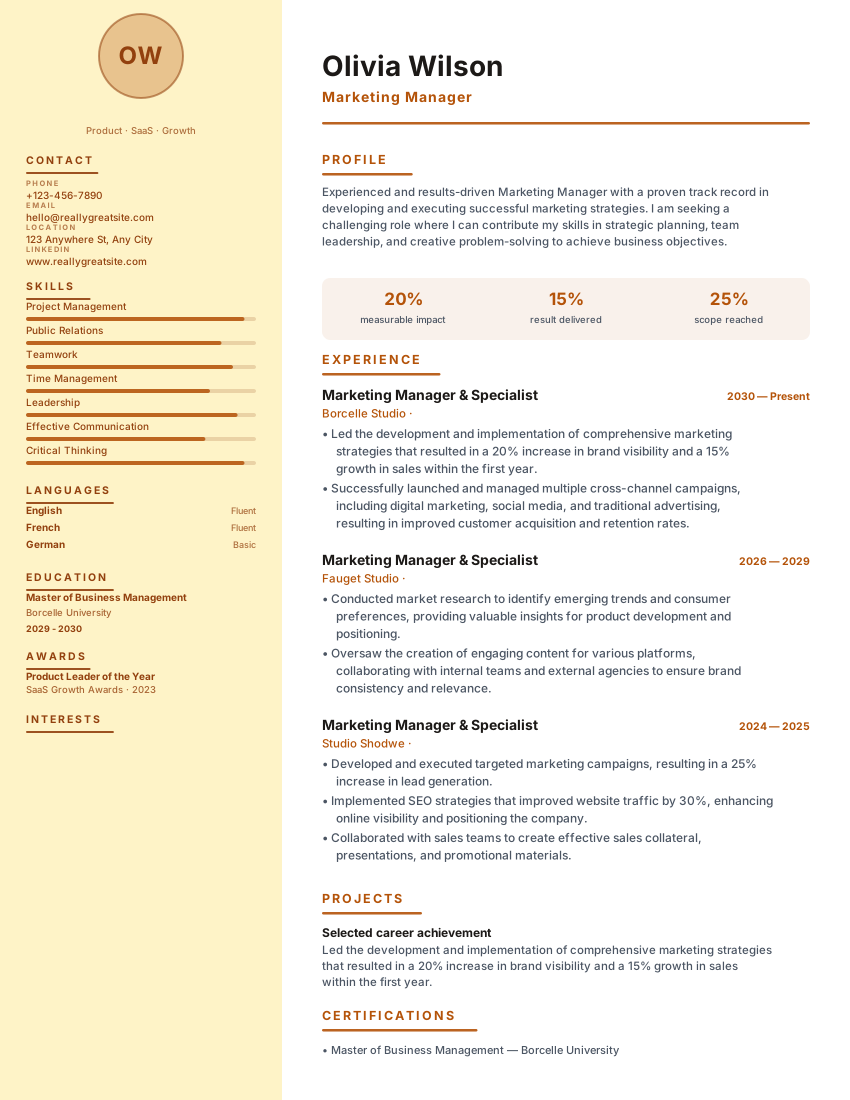
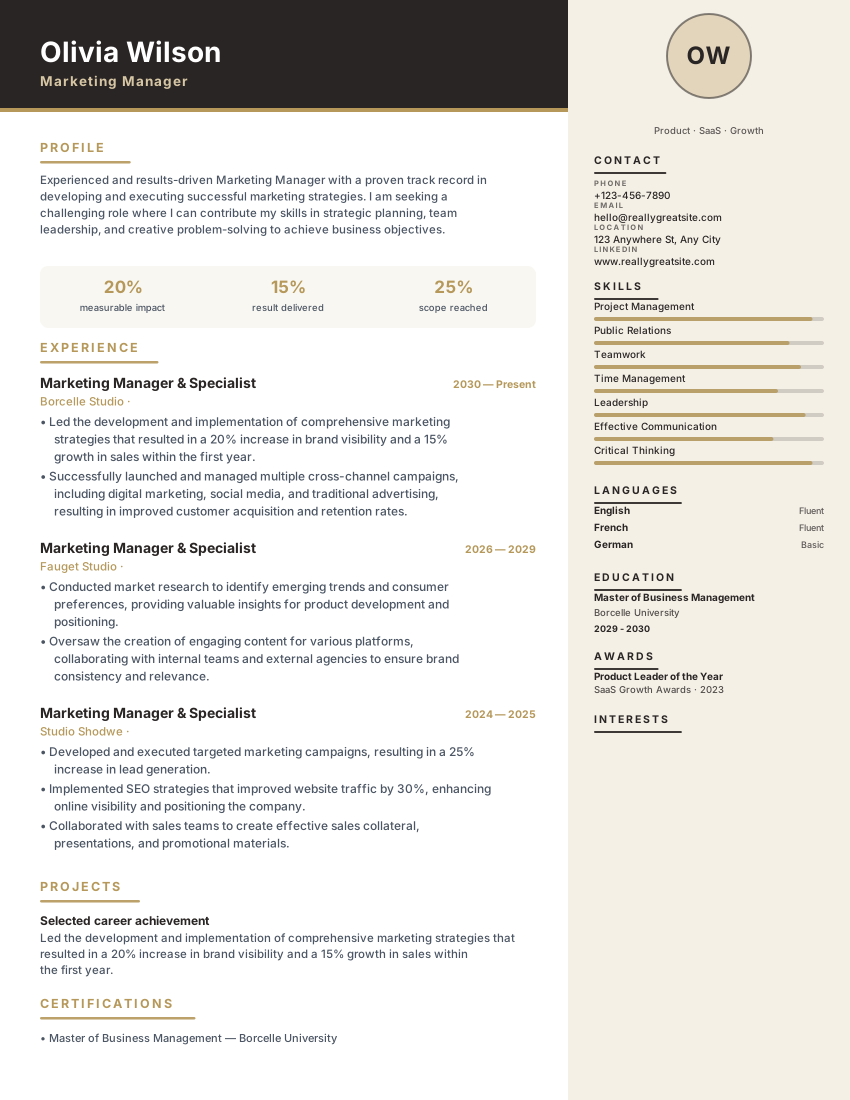
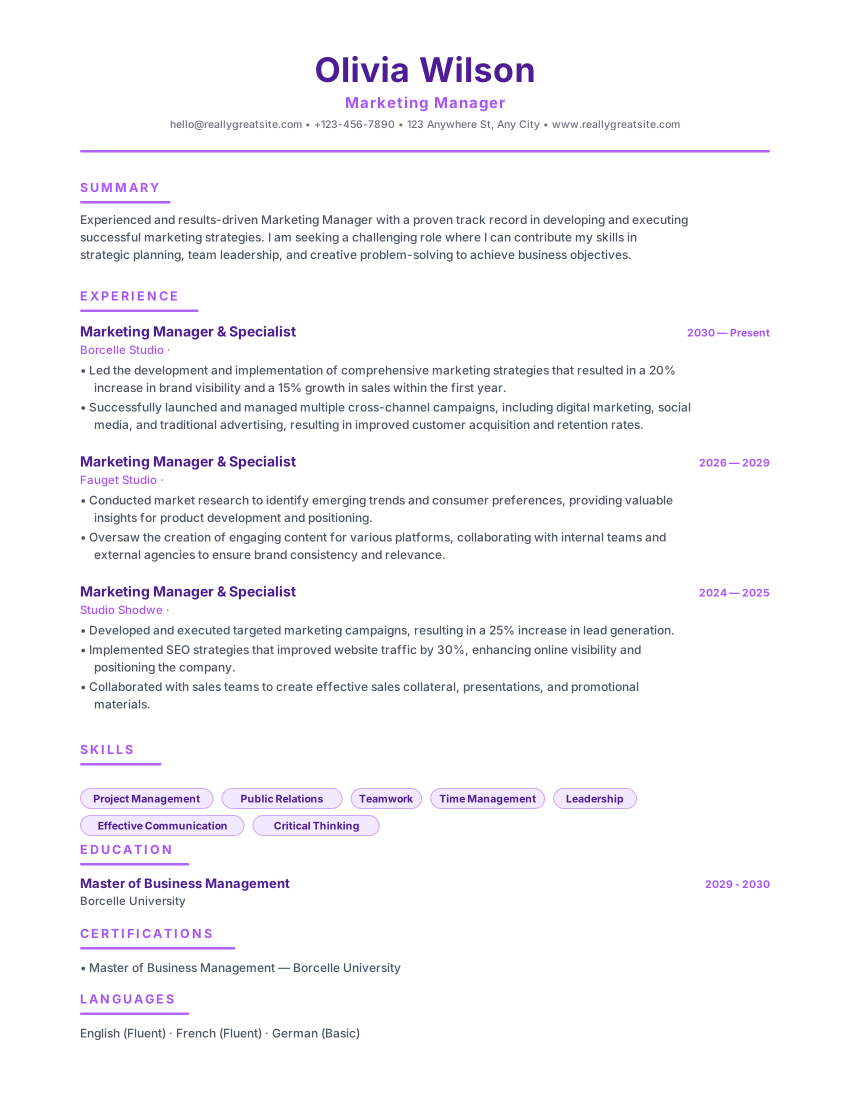
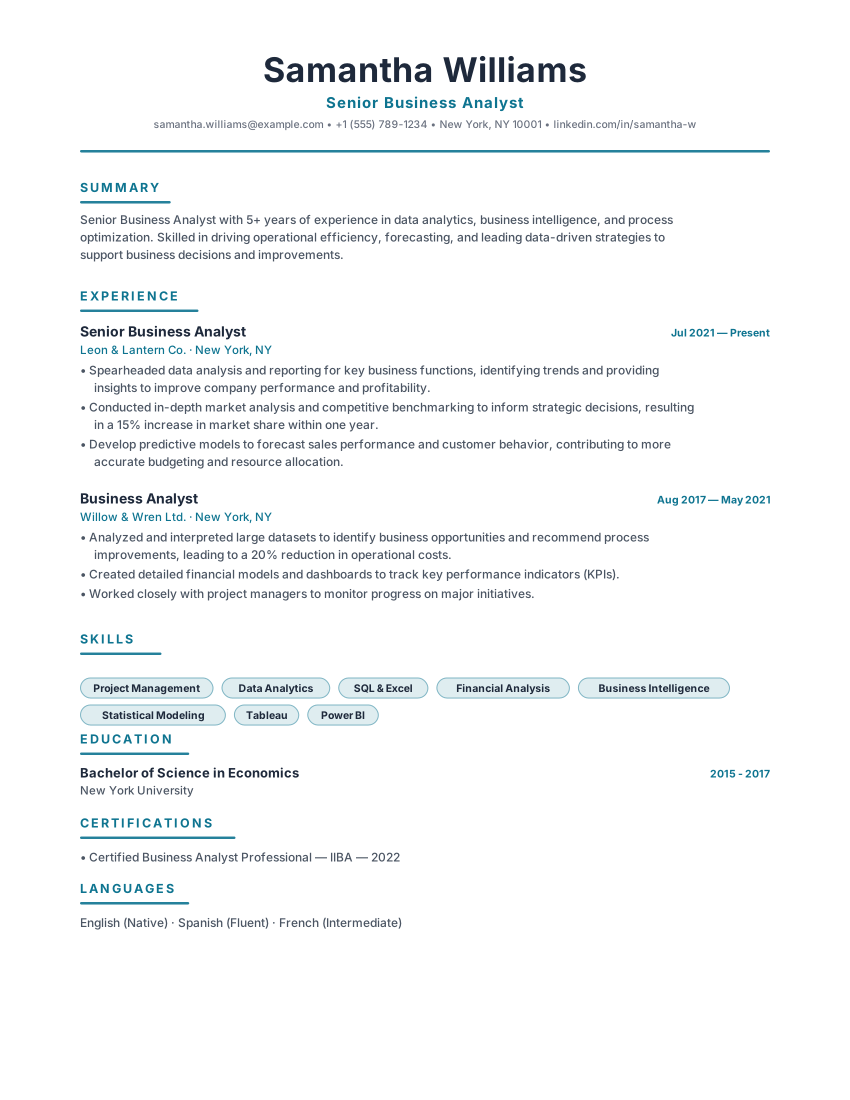
8 layouts that fit how human resources hiring actually reads a CV. Open a card to preview, or start in the builder — the same content reflows if you switch template later.

Filled example
Template layout
Use Template

Human resources resume template with employee scope, HRIS, hiring, retention and policy outcomes. Free ATS-ready CV for HR and people roles.

Human ResourcesProfessionalResults
HR ManagersPeople PartnersHuman ResourcesProfessional
Filled example
Template layout
Use Template

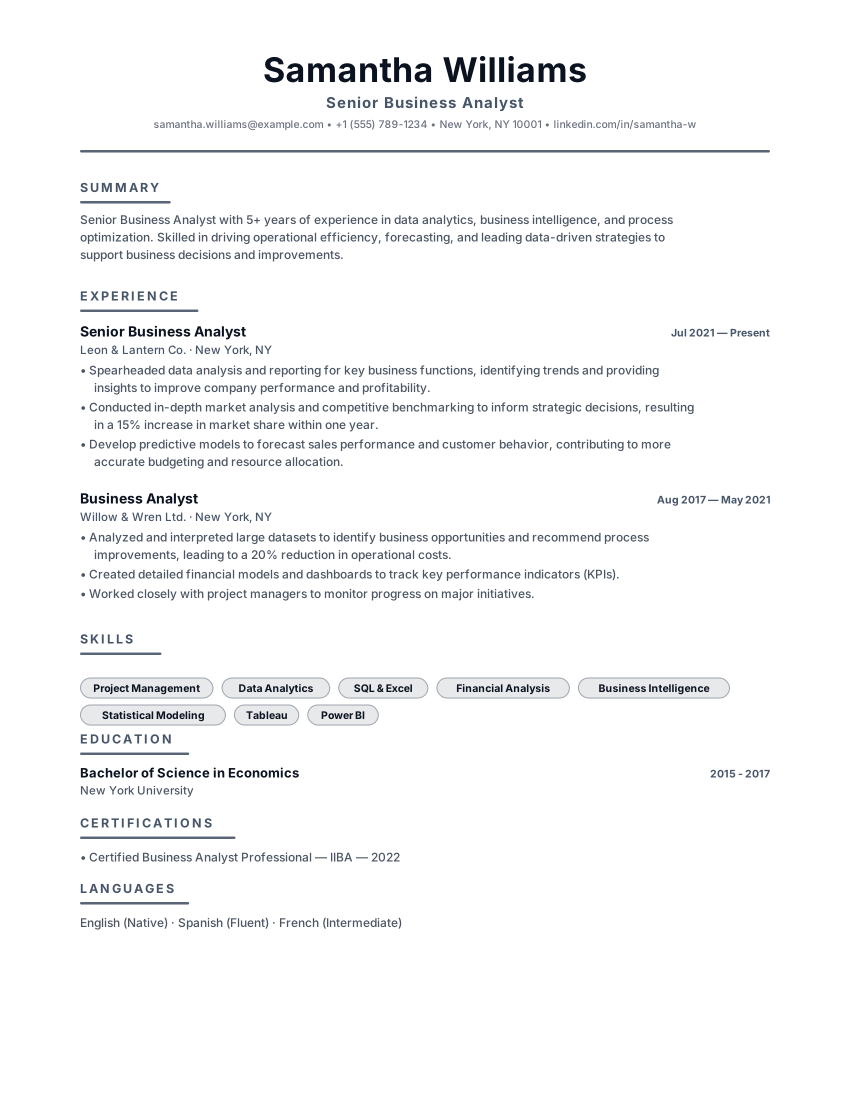
Crisp corporate resume with slate primary, teal accent bar and left accent markers for analysts and accountants.

CorporateTealSlate
Business AnalystsAccountantsCorporateTeal
Filled example
Template layout
Use Template

Dependable slate resume with charcoal accents, ruled headers and balanced hierarchy for managers and operations roles.

ProfessionalSlateCharcoal
ManagersAnalystsProfessionalSlate
PopularFilled example
Template layout
Use Template

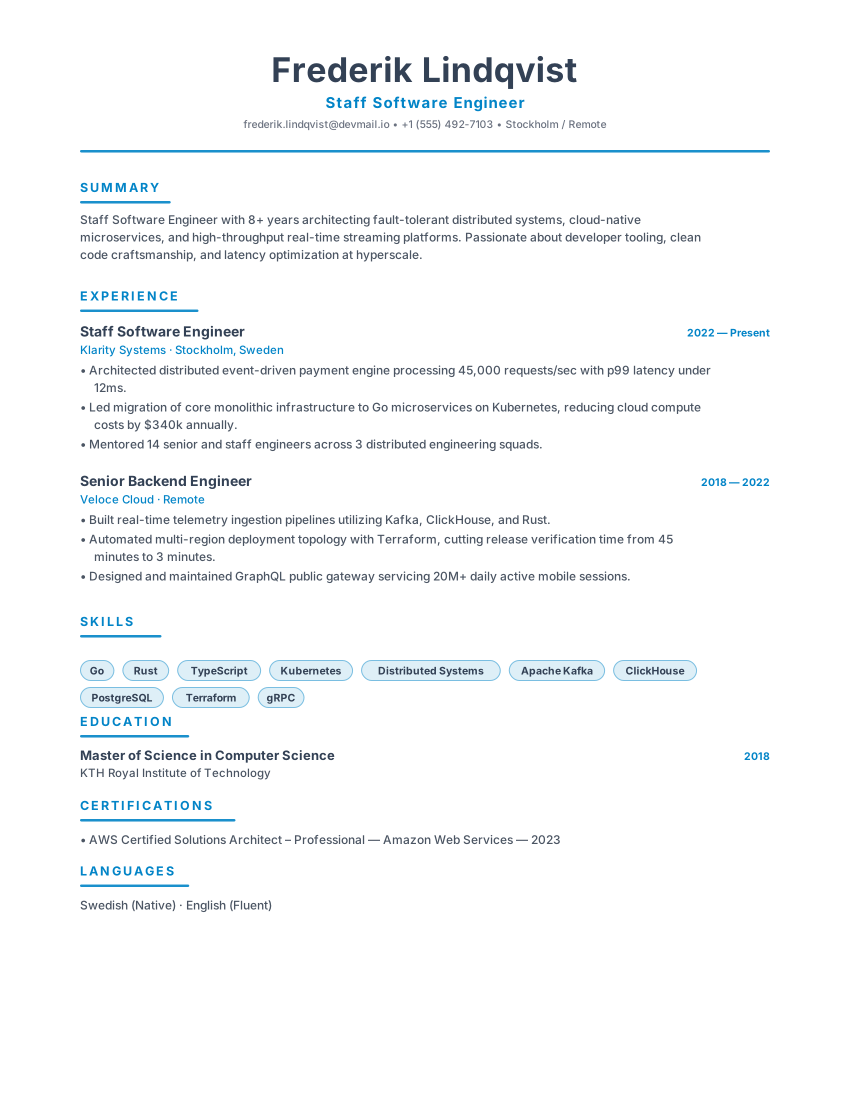
Scandinavian minimal resume with slate primary, icy blue accent and generous whitespace for engineers and product leaders.

NordicSlateIcy Blue
Software EngineersProduct ManagersNordicSlate
PopularFilled example
Template layout
Use Template

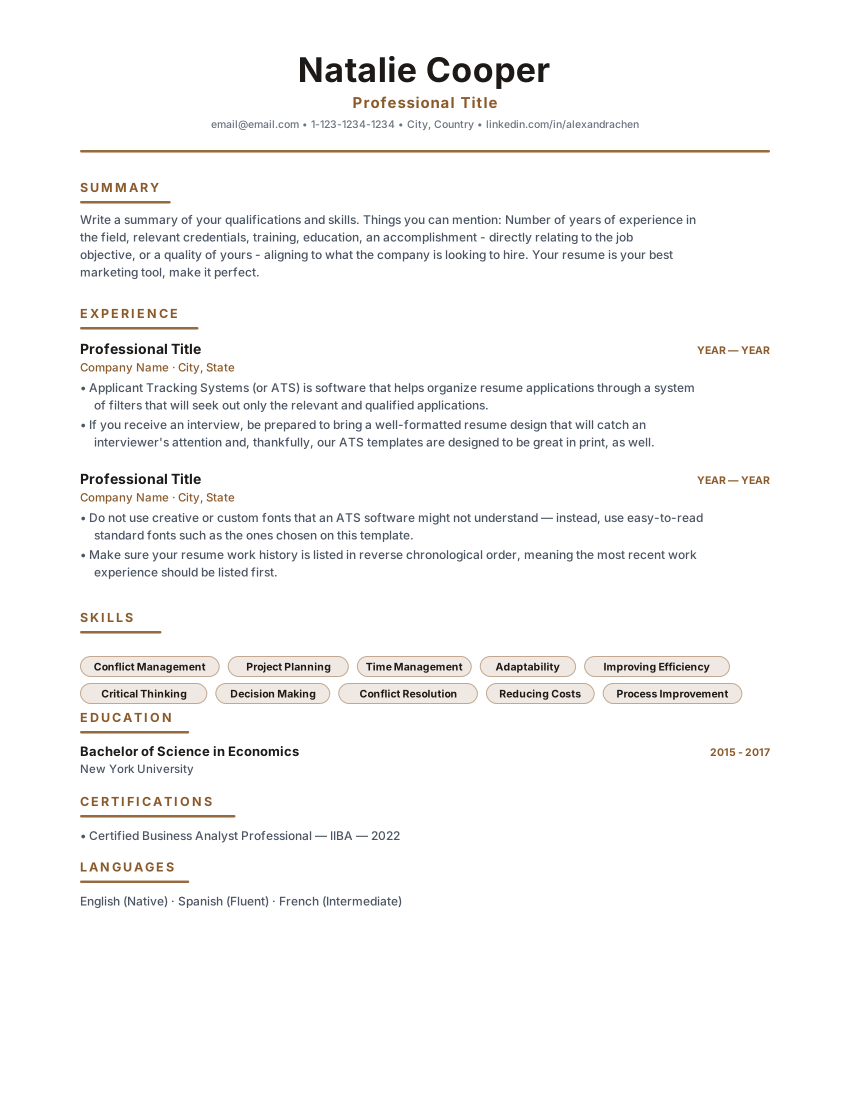
Timeless single-column classic resume with warm brown accents and centered header. Built for corporate, legal and business analyst roles.

HeritageClassicCentered
Business AnalystsAccountantsHeritageClassic
Filled example
Template layout
Use Template

Recruiter resume template with hiring volume, time-to-fill, sourcing channels and offer acceptance. Free ATS CV for talent acquisition roles.

RecruitmentProfessionalResults
RecruitersTalent PartnersRecruitmentProfessional
PopularFilled example
Template layout
Use Template

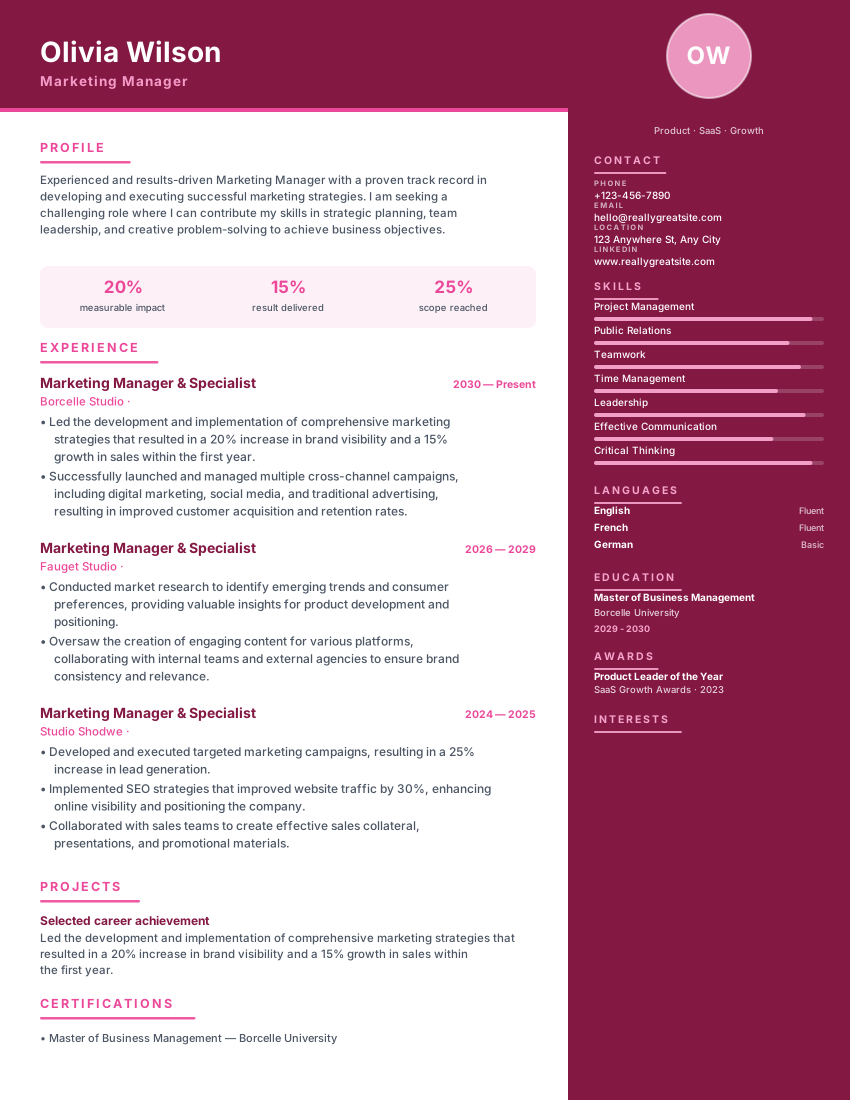
Light parchment sidebar with warm brown accents and elegant typography for marketing managers and modern professionals.

ParchmentWarmSidebar
Marketing ManagersBusiness ProfessionalsParchmentWarm
Filled example
Template layout
Use Template

Refined elegant resume with a warm parchment right sidebar, muted gold serif titles and charcoal type for senior roles.

LuminaParchmentGold
ManagersConsultantsLuminaParchment

Layout, not adjectives

What to look for in a Human Resources resume template

The right template for this field is the one that puts the evidence a human resources screen checks first in a document a parser can still read. Style is secondary.

  • A skills line that can hold disciplines first, then HRIS platforms, then CIPD or SHRM.
  • Role openings that can state headcount and sites in one line.
  • Room for time-to-hire, retention, engagement and ER volume — in aggregate, never as identifiable cases.
  • A conventional corporate tone. HR hiring teams notice when a CV tries too hard.

Match the market

How to choose a Human Resources resume template

  • People Operations is the purpose-built layout for HR and people-ops seats.
  • Corporate Clean, Professional Slate and Heritage Classic are the usual shortlist for generalist and ER roles.
  • Talent Recruiter is the better starting point when the vacancy is talent acquisition rather than generalist HR.

What belongs on the page

What to include in a Human Resources resume

Headcount and sites in the opening line

"HR Business Partner supporting 420 employees across three UK sites" is the context the rest of the bullets need.

Discipline match

Generalist, ER, talent, reward, L&D. Lead with the discipline the advert names.

Named HRIS

Workday, BambooHR, SuccessFactors — literals. "HRIS experience" will not match those filters.

Employment-law jurisdiction

It is not transferable between countries. State where you have practised.

From template to file

How to create your Human Resources resume

  1. Open People Operations or a corporate layout

    Scope has to be visible before specialism.

  2. Put CIPD or SHRM with the level and year

    Many roles use it as a filter, particularly in the UK and US respectively.

  3. Write ER outcomes in aggregate

    Caseload, complexity, no identifiable individuals. Confidentiality is itself a competence signal.

  4. Export and confirm platform names survived

    Then send.

Questions

FAQ

How do I show headcount scope on a human resources resume template?

State it in the opening line of each role. Without it, a reader cannot tell whether your experience matches their scale, which is the first thing they are checking.

Should I present as a generalist or a specialist?

Match the advert. Generalist roles want evidence across ER, recruitment, reward and policy; specialist roles want depth in one. Leading with the named discipline is the simplest alignment.

Can I share employee-relations outcomes on the template?

In aggregate: volume, complexity, outcome. Never reference identifiable people or case specifics.

Is CIPD or SHRM worth listing prominently?

Yes — level and year. Many HR roles use it as a shortlisting filter, and an ATS keyword search will look for the exact acronym.

Ready to build your Human Resources resume?

Open a template, replace the sample history with your own, and export a PDF or Word file. No account.

  • No credit card
  • No signup
  • 100% free